Understanding the Kin and Conquest Tutorial
Revised onboarding and early-system clarity
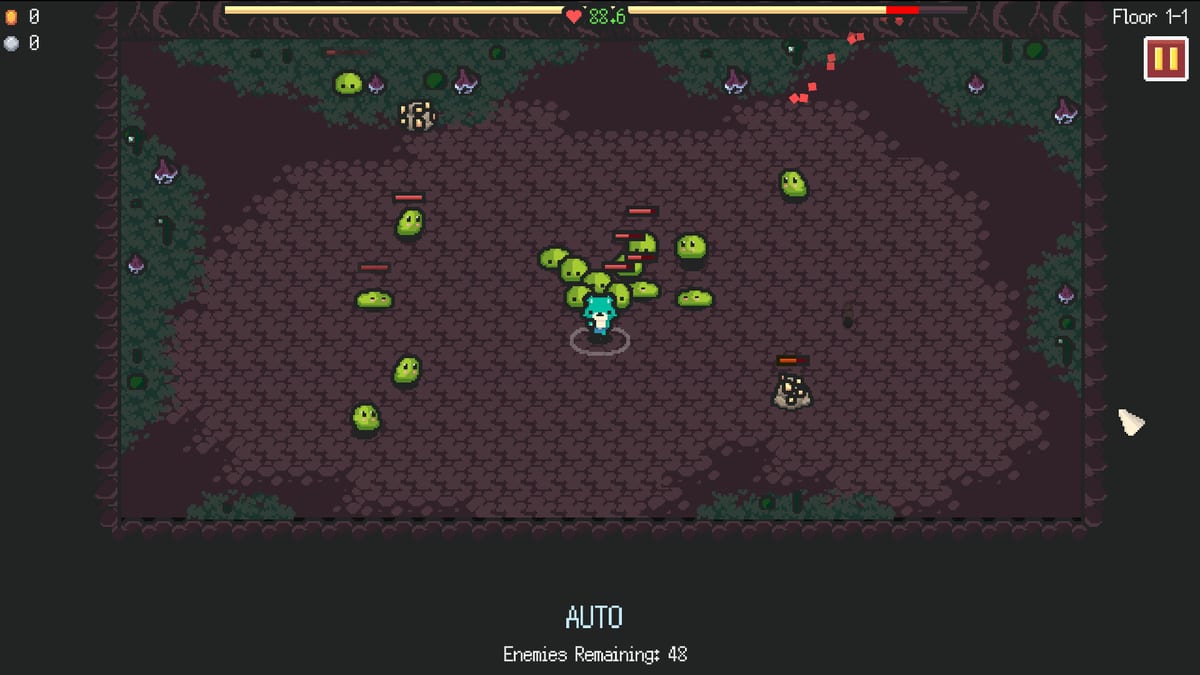
Kin and Conquest shipped a revised tutorial system in version 0.5.3 that carried into the 1.0 release on August 3, 2026. The Fox Knocks rebuilt onboarding to clear common misunderstandings—movement modes, proximity combat, hub shops, and how challenges relate to Souls—so new players spend less time guessing.
This page explains what the tutorial is trying to teach, which settings to confirm afterward, and which wiki guides deepen each lesson. Start with the in-game tutorial, then use Getting Started and Controls for permanent reference.
Why the tutorial was revised
Demo and playtest feedback showed recurring confusion:
- Mouse click-to-move versus keyboard/gamepad feeling “more intended” once tried.
- Proximity auto-attacks mistaken for a missing attack button.
- Hub NPCs appearing before players understood which shops mattered.
- Soul tooltips implying boss first clears when challenges actually award Souls.
The revised tutorial presents these ideas in a clearer sequence so the opening floors feel guided rather than opaque.
What you should learn in the first session
- Movement — Click pathing, optional auto-follow, and keyboard/gamepad steering all exist in Settings.
- Proximity combat — Stand near enemies to deal damage; leave range to dodge.
- Mining — Ore funds coins that buy upgrades between runs.
- Level-up Blessings — Permanent run bonuses appear as you gain levels.
- Hub loop — Return after death or extract to spend coins and open skill nodes.
- Challenges — Optional objectives that grant Souls and stretch progression.
If any of these remain fuzzy after the tutorial prompts, open the matching wiki page instead of forcing Extreme difficulty.
Hub NPCs and gradual reveals
Kin and Conquest hides irrelevant hub NPCs until systems unlock. That is intentional. Early on, focus on:
- Weapon / equipment shop
- Skill tree vendor
- Challenge or Soul-related UI when available
Ignore future systems until the tutorial or unlock text introduces them. Trying to optimize every panel on day one creates the overwhelm the revised tutorial aimed to reduce.
Tutorial versus Settings tweaks
The tutorial shows defaults; Settings let you specialize:
- Switch movement mode after you understand click pathing.
- Lower skill opacity if Blessing effects clutter the screen.
- Use Reset to Defaults if experiments feel worse than the tutorial baseline.
Gamepad and keyboard menu navigation were added during development so shop confirm inputs work without a mouse—practice those if you plan controller play.
Common misunderstandings the tutorial should kill early
| Misunderstanding | Reality |
|---|---|
| There is no attack button | Proximity combat swings automatically |
| Mouse is the only good control | Keyboard/gamepad are first-class options |
| Souls = first boss kill | Souls come from Challenges |
| Mining is optional flavor | Coins from ore fund upgrades |
| Auto-follow is always better | It can waste totems and break spacing |
After the tutorial: recommended wiki path
- Getting Started — first-hour checklist
- Combat Basics — spacing drills
- Challenges & Souls — optional objectives
- Beginner Build — stable early kit
- Updates — what changed for 1.0
Accessibility and language notes
Kin and Conquest localizes the interface into many languages on Steam. The tutorial text follows your language setting. This fan wiki covers English, Japanese, German, and French pages; game terms such as Blessings and Skill Tree may stay in English inside localized articles for search clarity.
Related guides
If the tutorial mentions totems briefly, deepen with Totems. If it teases Books and Staffs, bookmark Books and Staffs for later floors. Return to the Guides hub whenever a prompt names a system you want to master beyond the tip text.
Frequently Asked Questions
Quick answers for Kin and Conquest players.
Did Kin and Conquest change its tutorial?
Yes. Version 0.5.3 revised the tutorial to clarify common misunderstandings, and that clearer flow carries into the 1.0 release.
Should I finish the tutorial before changing Settings?
Finish the core prompts first so you understand defaults, then switch movement modes or opacity once you know what each option changes.
Why are some hub NPCs missing at the start?
The game reveals shops and systems as you unlock them so the early hub stays readable. Focus on weapon and skill vendors first.
Does the tutorial cover Souls correctly now?
Patch notes fixed Soul tooltip wording so players do not assume first boss kills alone grant Souls. Challenges are the real source—see the Challenges guide.
Where should I go after the tutorial?
Read Getting Started and Combat Basics, then Challenges & Souls before pushing higher difficulties.